
FlipHTML5 helps businesses create engaging PDF flip books with interactive media, easy navigation, and flexible sharing options.
Hong Kong, China (PRUnderground) October 27th, 2026
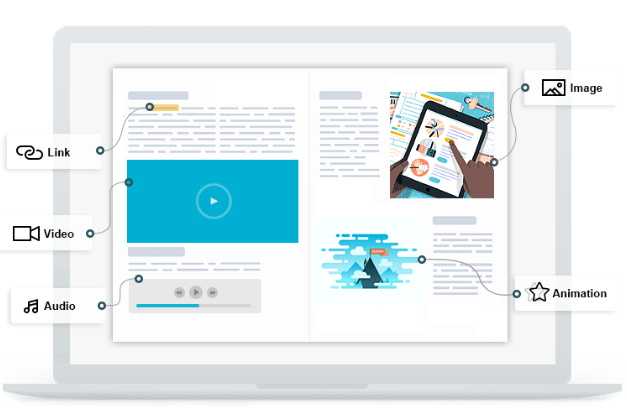
Product brochures bring together product images, features, specifications, and supporting details to help readers understand a company’s offerings. As businesses distribute product information through digital channels, presenting these materials in a format that supports convenient browsing and easy access to specific details becomes increasingly important. FlipHTML5 helps businesses convert existing brochure PDFs into browser-based PDF flip books, preserving the original content and page layout without having to recreate the materials from scratch.
In addition to PDFs, FlipHTML5 allows businesses to convert Word documents, PowerPoint presentations, and image files into flipbooks. It also supports merginge multiple files into a single flipbook and adjusting file order before conversion.
After converting PDFs to flip books, businesses can enhance the resulting online publication with interactive elements such as links, videos, audio, slideshows, and animations. FlipHTML5’s Page Editor lets businesses add these elements to selected pages. For example, a product page can link to a related webpage, while supporting media can provide additional visual or audio information alongside the product details.
Within the online PDF flip book, navigation features can help readers find product information more efficiently. Businesses can set up a table of contents by adding headings for major product sections and linking them to the relevant pages, allowing readers to jump directly to those sections. Page thumbnails provide a visual overview of the brochure, while the search feature helps readers locate specific product names, features, or specifications. These features are especially useful for brochures covering multiple products, where readers may need to find specific information without browsing every page.
Businesses can customize the online PDF flip book’s interface to suit the way they present their products. FlipHTML5’s Customized Interface provides settings for colors, backgrounds, and panels, while a clickable logo can link to a designated website or URL. These customizations help businesses align their PDF flip books with their brand identity and strengthen brand recognition.
With its content and appearance customized, the PDF flip book is ready for distribution. Businesses can embed it on relevant product pages, giving visitors access to product images, features, and specifications while exploring a company’s offerings. They can also distribute the online publication through direct links or QR codes in emails, sales communications, and promotional materials. This allows businesses to share product information without creating separate versions for different channels.
“Product information needs to serve different audiences, from prospective customers comparing specifications to sales teams referencing key features,” said Winston Zhang, CEO of FlipHTML5. “We focus on helping businesses make their product materials more useful in these varied contexts, so important details are easier to locate and apply throughout the buying process.”
To learn more about PDF flip books, please visit FlipHTML5.
About FlipHTML5
FlipHTML5 is a digital publishing platform for creating, customizing, publishing, and managing online publications. It supports document conversion, page editing, interactive elements, branding, navigation, sharing, embedding, and analytics, helping businesses turn existing content into digital publications for online distribution.


